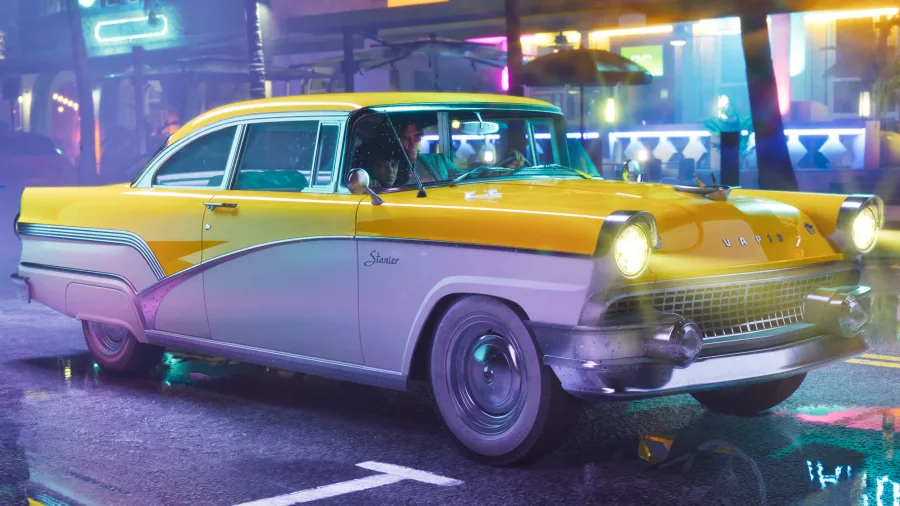
GTA 6 Launch Checklist: Storage, Preload, Download Times and the Scams to Avoid
Everything to sort out before November 19: the dates that matter, how much space to clear on each console, how long the download really takes, and the fake offers that will flood launch week.
GTA 6 is less than eight weeks away, and there is no disc this time. Every copy, digital or boxed, gets downloaded. That turns launch day into a storage and bandwidth problem as much as a gaming one. This checklist covers what to do and when, and it keeps what Rockstar has confirmed apart from what is only estimated.
The dates that matter
November 12, 2026: preloading opens for digital pre-orders. Rockstar has confirmed the date but not a clock time.
November 19, 2026: launch on PS5, PS5 Pro and Xbox Series X|S. No edition gets early access.
November 20, 2026: the last day a digital purchase still includes the Vintage Vice City Pack.
March 31, 2027: the deadline to claim the free month of GTA+ that comes with digital pre-orders on the PlayStation Store and the Microsoft Store.
Unlock times by region have not been announced. The regional schedules circulating online are compiled from store page timestamps. That is real store data, but it is not an announcement, and store times often change before a big launch. Rockstar usually posts the real schedule in launch week, and that is the one to trust.
How much space to clear
Rockstar has not published an install size. Every exact number you see is an estimate, usually between 120 and 200 GB, based on comparable open-world games plus a launch patch. Red Dead Redemption 2 already needed well over 100 GB, and GTA 6 is bigger in every direction. The safe plan is to have 200 to 250 GB free before November 12.
Usable space varies more between consoles than most people realise. Roughly: the original PS5 has about 667 GB usable, the PS5 Slim about 842 GB, the PS5 Pro about 1.89 TB, the Xbox Series X about 802 GB and the 512 GB Xbox Series S only about 364 GB. On a Series S, GTA 6 alone could take half the drive. If you own one, plan what to delete now rather than on the night.
External drives help less than you might hope. PS5 and Xbox Series games can be stored on an ordinary USB drive, but they have to run from the internal SSD or a supported expansion: an M.2 drive on PS5, an expansion card on Xbox. A USB drive is fine for parking other games to make room. It will not run GTA 6.
How long the download takes
The maths is simple: gigabytes times 8, divided by your speed in megabits per second, gives seconds. For a 150 GB download, as an example:
At 25 Mbps, about 13 hours. At 50 Mbps, about 6 and a half hours. At 100 Mbps, about 3 hours 20 minutes. At 300 Mbps, a little over an hour. At 1 Gbps, around 20 minutes in theory, though store servers on the busiest launch in years will not deliver that.
Those numbers are why preloading matters. If your connection is under 100 Mbps, preload as early as you can on November 12. Leave the console in rest mode with downloads allowed, and it will usually be done by the next day.
If you bought a boxed copy
The box contains a download code, not a disc. Copies are expected to start arriving around November 12, and redeeming the code lets you preload on the same schedule as digital buyers. Two things follow. You need an internet connection to install the game at all. And once the code is revealed or redeemed, most shops will not take the copy back.
Decide before you preload
On PlayStation, a pre-order refund depends on the game not having started downloading, and a preload counts. If you are still unsure between editions, or about buying at all, settle it before November 12. On Xbox, pre-orders are cancelled from your Microsoft order history. Check the deadline shown there.
If you pre-ordered digitally, claim the GTA+ month when you want it and switch off auto-renewal straight away. You keep the month either way. Our editions guide covers both traps in more detail.
The scams that will flood launch week
Every huge launch attracts the same tricks, and this one will attract more than usual. None of the following exists:
A PC download. Rockstar has not released or even dated a PC version. Any site offering GTA 6 for PC before that is offering malware.
Early access, beta keys or “pre-release” codes. No edition unlocks early, and Rockstar is not running a public beta.
Free copies, free money or free Shark Cards in exchange for logging in. These are account-theft pages. Rockstar never asks for your password outside its own site and your console.
Mobile versions and companion apps that are not published by Rockstar Games in the official app stores.
A “leaked” install size or unlock time presented as official. It may be close, but if it did not come from Rockstar, PlayStation or Xbox, it is not confirmed.
Protect the story
Boxed copies tend to reach some buyers before launch day, and a game this big will leak plot details the moment that happens. If you care about spoilers, mute words like the leads' names, “ending” and “spoiler” on social apps for launch week, and be careful with video recommendations. Thumbnails spoil more than titles.
The short version
Before November 12: decide on your edition, clear 200 to 250 GB, check your download speed, and move other games to a USB drive if you need room.
On November 12: preload, and leave the console downloading in rest mode.
Launch week: trust only Rockstar's own unlock times, ignore every PC or early-access offer, and mute spoilers.
More Guides
GTA 6's Extended Look, Decoded: What 27 Minutes of Footage Actually Changes
10 min read
The GTA 6 Timeline: Every Official Milestone From 2022 to Launch Day
6 min read
The August 27 Extended Look: What Was Shown, and What Fans Made Up
7 min readGTA 6: Everything We Actually Know After the Extended Look (and What's Still a Rumor)
8 min read
The State of Leonida: A Region-by-Region Guide to the GTA 6 Map
8 min read
GTA 6 Editions Explained: Standard vs. Ultimate, Every Item, and Two Pre-Order Traps
8 min read
GTA 6's Story So Far: How the Cast Connects, and What the Extended Look Adds
7 min read